nib is not showing up without specifying a size
When trying to use a custom nib / xib in a view controller, it kept saying "ambiguous height".
But if I gave it a height, then the custom nib would show up perfectly. And it was clear from the visual debugger, that it had an intrinsic size.
Sooo, I tried compression hugging, and also tried to get the instrinsic size. No dice.
The issue? In order for the view to work out its own height, the vertical layout needs to be unambiguous.
Turned out that I had not provided a bottom constraint.
SOO, my custom layout: It was a vertical stackview inside a UIView.
Turns out I had constrained the top, leading and trailing anchors. BUT I had forgotten to constrain the bottom anchor.
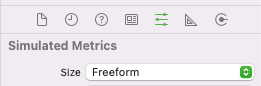
As an aside, I also changed the size to freeform, so it wasn't looking like a view controller, and I could override the nib to the size I want (though this size isn't taken into account)